Daily Maintenance Tasks
Even though daily tasks might seem like overkill, a few quick checks each day can prevent major problems down the line. These tasks take just minutes but can save you from costly emergencies.
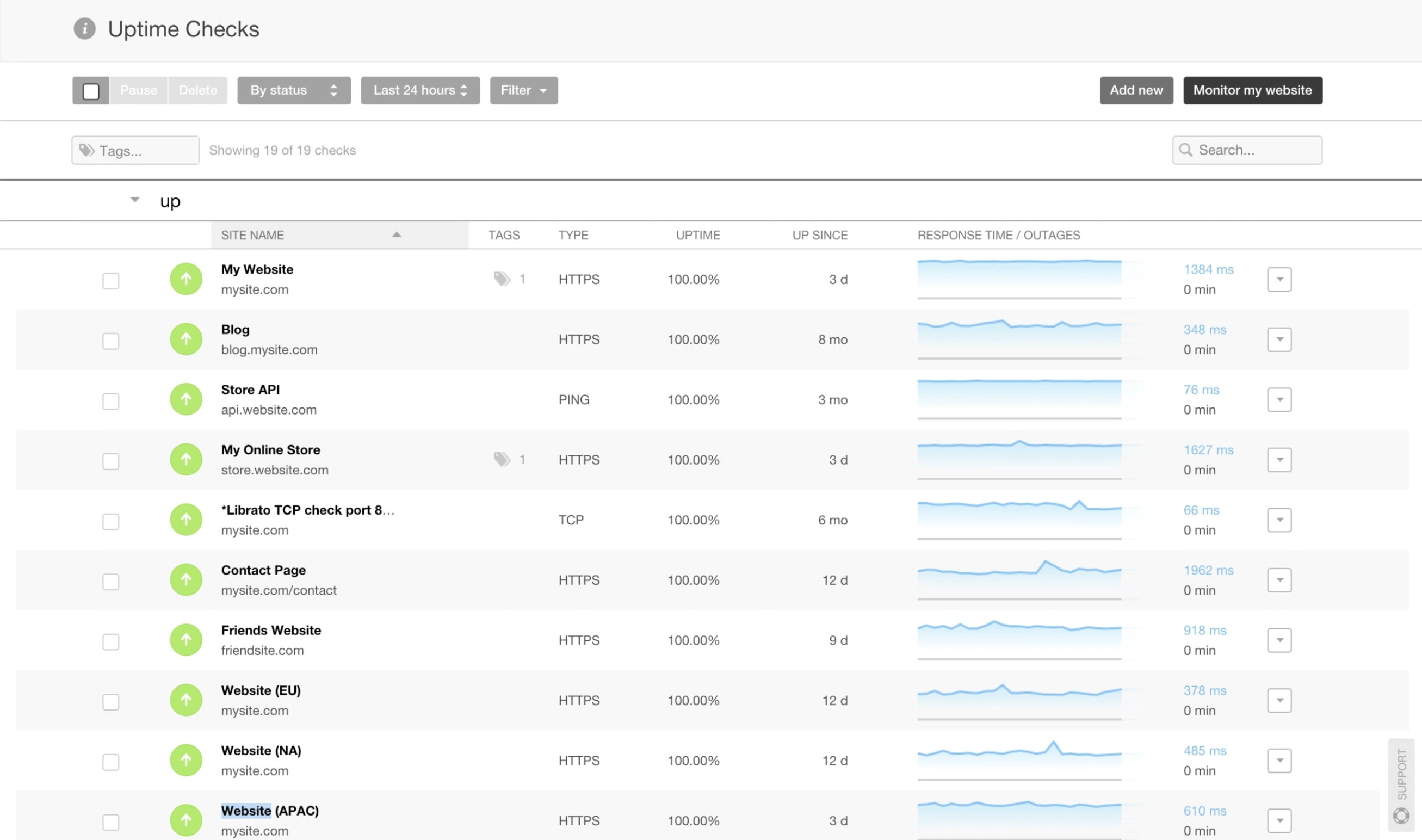
Start by monitoring your website's uptime. Use monitoring tools to ensure your site is accessible and loading properly. If your site goes down, you want to know immediately, not when customers start complaining.
Check your contact forms and ensure they're functioning correctly. Test submit a form to verify that inquiries are reaching the right inbox. Many businesses lose leads simply because their contact forms stopped working and no one noticed.
Review your website analytics briefly to spot any unusual traffic patterns or sudden drops that might indicate a problem. A quick glance at your dashboard can alert you to issues before they escalate.
Weekly Maintenance Tasks
Weekly maintenance gives you a chance to dig a bit deeper and address issues that don't require daily attention but shouldn't wait too long.
Back up your website completely. Your website data, including files, databases, and media, should be backed up regularly. Store backups in multiple secure locations, both on-site and off-site. In case of a security breach or technical failure, a recent backup is your safety net.
Test all website forms, including contact forms, newsletter signups, and checkout processes if you run an e-commerce site. Click through the user journey to ensure everything works smoothly from start to finish.
Review and respond to comments on your blog posts and moderate any spam. Engaging with your audience builds community and shows your site is actively managed.
Check your website's load speed using tools like Google PageSpeed Insights. If you notice slowdowns, investigate potential causes like oversized images or plugin conflicts.

Monthly Maintenance Tasks
Monthly maintenance is where you perform more thorough checks and updates that keep your website healthy and secure over the long term.
Update all software, including your content management system (CMS), plugins, themes, and any third-party integrations. Outdated software is one of the biggest security risks for websites. Always back up before updating, and test your site afterward to ensure everything still works correctly.
Run security scans to check for malware, vulnerabilities, and suspicious activity. Many security plugins offer automated scanning, but it's worth doing a manual review as well. Update passwords for admin accounts and any other sensitive areas regularly.
Review and update your content. Check for outdated information, broken internal links, and opportunities to refresh old blog posts with new insights. Fresh, accurate content improves SEO and user trust.
Analyze your website's performance metrics in detail. Look at page views, bounce rates, conversion rates, and user behavior. Identify which pages perform well and which need improvement.

Quarterly Maintenance Tasks
Every three months, step back and look at the bigger picture. Quarterly maintenance helps you ensure your website stays aligned with your business goals and industry standards.
Conduct a comprehensive SEO audit. Review your keyword rankings, meta descriptions, title tags, and overall search visibility. Update your SEO strategy based on current trends and algorithm changes.
Test your website across different browsers (Chrome, Firefox, Safari, Edge) and devices (desktop, tablet, mobile). Ensure consistent appearance and functionality everywhere. Responsive design issues can cost you visitors and conversions.
Review your website's accessibility to ensure it meets WCAG (Web Content Accessibility Guidelines) standards. Check for proper heading structure, alt text for images, keyboard navigation, and color contrast. An accessible website reaches a wider audience and often ranks better in search results.
Audit your website's user experience. Navigate through your site as if you were a first-time visitor. Is the navigation intuitive? Is important information easy to find? Are calls-to-action clear and compelling? Make improvements based on your findings.
Clean up your media library by deleting unused images and optimizing file sizes. Large media files slow down your site and consume valuable server space.
Annual Maintenance Tasks
Once a year, it's time for a thorough website checkup that addresses long-term strategy and major improvements.
Renew your domain name and hosting services well before they expire. Set reminders so you never risk losing your domain or experiencing downtime due to expired hosting.
Review and update your privacy policy, terms of service, and any legal disclaimers to ensure compliance with current regulations like GDPR, CCPA, or other relevant laws in your jurisdiction.
Conduct a complete content audit. Review every page on your site and decide what to keep, update, or remove. Consolidate or redirect outdated pages, and create new content to fill any gaps in your offerings.
Evaluate your website design and consider whether it still reflects your brand and meets user expectations. Design trends evolve, and what looked modern three years ago might feel dated now. You don't need a complete redesign every year, but strategic updates can keep your site fresh.
Review your website's hosting plan and performance. As your business grows, your hosting needs may change. Consider upgrading to a more robust plan or switching providers if your current setup isn't meeting your needs.
Analyze your competition. Look at what other businesses in your industry are doing with their websites. Identify opportunities to differentiate yourself and improve your online presence.
Emergency Maintenance
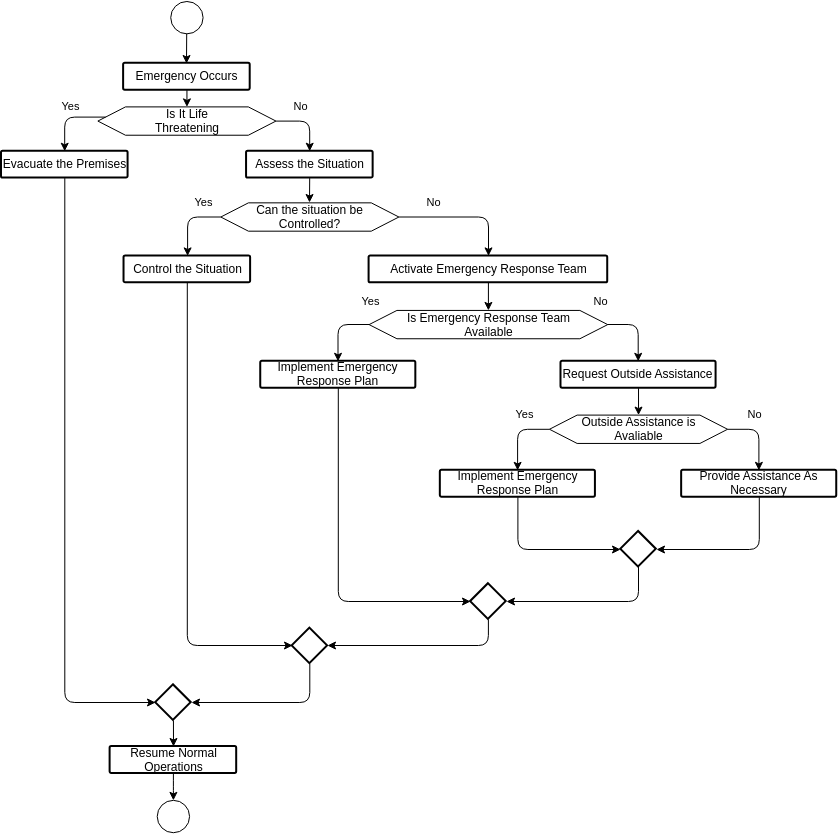
Despite your best efforts, emergencies happen. Having a plan in place helps you respond quickly and minimize damage.
If your site is hacked or infected with malware, take it offline immediately to prevent further damage and protect visitors. Restore from a clean backup, change all passwords, and run thorough security scans before bringing the site back online.
For major performance issues or crashes, check your hosting server status first. If it's a server-side problem, contact your hosting provider. If it's site-specific, disable recently installed plugins or themes to identify the culprit.
Keep contact information for your web developer, hosting provider, and domain registrar easily accessible. In an emergency, you don't want to waste time searching for phone numbers or login credentials.
Conclusion: Consistency is Key
Website maintenance isn't glamorous, but it's absolutely essential. A well-maintained website is faster, more secure, and more effective at achieving your business goals. By following this checklist and establishing a regular maintenance routine, you protect your investment and ensure your website continues to serve your business well.
Remember, website maintenance isn't a one-time project. It's an ongoing commitment that pays dividends in improved performance, better security, and enhanced user experience. Whether you handle maintenance yourself or partner with a professional agency, consistency is what matters most.
Don't wait for problems to arise. Proactive maintenance is always easier and less expensive than emergency fixes. Start implementing this checklist today, and your website will thank you with reliable performance and better results.
Ready to take your website maintenance to the next level? Let's ensure your site stays in peak condition year-round.